
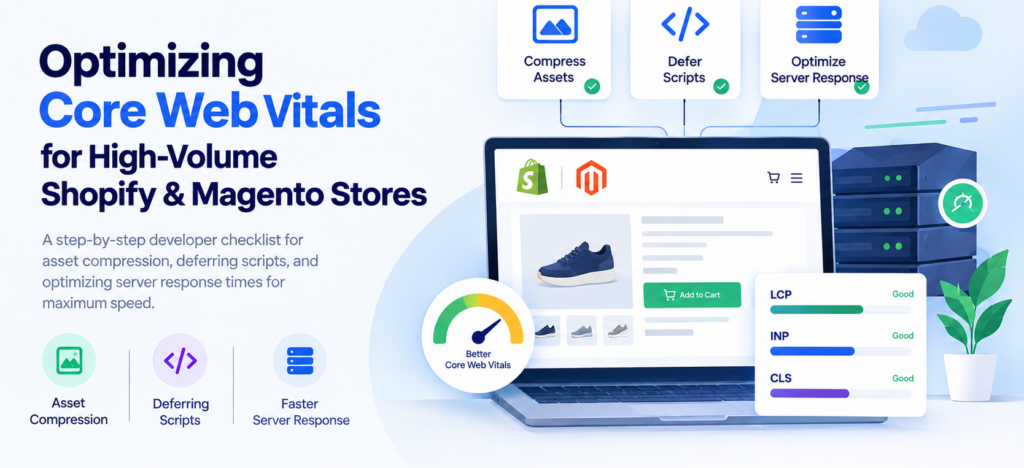
High-volume ecommerce stores have a different performance challenge from ordinary websites. A Shopify or Magento store may serve thousands of products, large product images, multiple third-party scripts, tracking tools, payment integrations, and dynamic content—all of which can affect page speed.
For developers, improving Core Web Vitals is less about chasing a perfect performance score and more about removing unnecessary work from the browser and reducing the time required to deliver the first meaningful response.
This developer checklist focuses on three practical areas:
- Compressing and optimizing assets
- Deferring non-critical scripts
- Reducing server response time
1. Start With a Performance Baseline
Before changing code, measure the current performance of your important ecommerce templates.
Test at least:
- Homepage
- Product page
- Collection/category page
- Search page
- Cart page
Pay particular attention to:
- LCP — how quickly the primary content appears
- INP — how quickly the page responds to interaction
- CLS — whether content moves unexpectedly
- TTFB — how quickly the server starts responding
Don’t optimize based on assumptions. Identify the resource or process creating the bottleneck first.
2. Compress and Optimize Assets
Large assets are one of the easiest ways to increase page weight.
For ecommerce stores, start with product images, banners, JavaScript, CSS, fonts, and other static resources.
Image checklist
- Resize images to their actual display dimensions
- Compress product images before delivery
- Use modern formats such as WebP or AVIF where appropriate
- Serve responsive image sizes
- Lazy-load images below the initial viewport
- Prioritize important above-the-fold images
- Always reserve image dimensions to reduce layout shifts
3. Minify CSS and JavaScript
Production ecommerce stores should not deliver unnecessary whitespace, comments, duplicate code, or unused assets to customers.
Review:
- Theme CSS
- Custom CSS
- JavaScript bundles
- App or extension assets
- Duplicate libraries
- Unused styles
- Unused scripts
For Shopify, inspect theme files and app-related assets.
For Magento, review theme assets, extensions, layout configuration, and generated frontend resources.
The objective isn’t simply to make individual files smaller. It is to reduce the amount of code the browser needs to download, parse, and execute.
4. Defer Non-Critical JavaScript
JavaScript can become a major performance bottleneck on ecommerce websites.
A store may load scripts for:
- Analytics
- Advertising
- Reviews
- Live chat
- Heatmaps
- Recommendations
- Social integrations
- A/B testing
- Marketing automation
Not all of these need to execute before the customer can see and interact with the primary content.
5. Audit Third-Party Scripts Regularly
Third-party integrations are often overlooked during performance optimization.
Create a simple inventory:
| Script | Purpose | Critical? | Optimization |
|---|---|---|---|
| Analytics | Traffic measurement | No | Defer |
| Chat | Customer support | No | Load later |
| Reviews | Product reviews | Depends | Load when required |
| Heatmap | Behavior analysis | No | Delay |
| Cart functionality | Ecommerce | Yes | Prioritize |
If multiple apps provide similar functionality, consider consolidating them.
For Shopify stores especially, periodically review installed apps and determine whether their frontend code is still necessary.
For Magento, perform a similar audit of installed extensions.
6. Reduce Server Response Time
Frontend optimization can only go so far if the server takes too long to generate the page.
For high-volume Magento stores, investigate:
- Database queries
- PHP execution
- PHP-FPM configuration
- Magento extensions
- Full-page caching
- Object caching
- External API calls
- Server resource usage
For Shopify, server-level optimization is more limited because the platform manages the underlying infrastructure. Developers should instead focus heavily on theme performance, app integrations, Liquid rendering, assets, and unnecessary client-side requests.
7. Use Caching Where Appropriate
Caching prevents the application from performing the same work repeatedly.
For Magento, review:
- Full-page cache
- Object cache
- Redis configuration
- CDN caching
- Cache invalidation strategy
A well-configured cache can significantly reduce the work required to generate frequently requested pages.
For static assets, use appropriate browser and CDN caching headers so returning visitors don’t repeatedly download the same resources.
8. Use a CDN for Static Assets
A CDN can deliver static resources from locations closer to customers.
Consider serving:
- Product images
- CSS
- JavaScript
- Fonts
- Other static resources
through a CDN.
For stores serving customers across multiple countries or regions, CDN configuration can make a noticeable difference in resource delivery times.
However, a CDN isn’t a replacement for optimizing the assets themselves.
A compressed 100 KB image is still preferable to sending a 2 MB image through a CDN.